
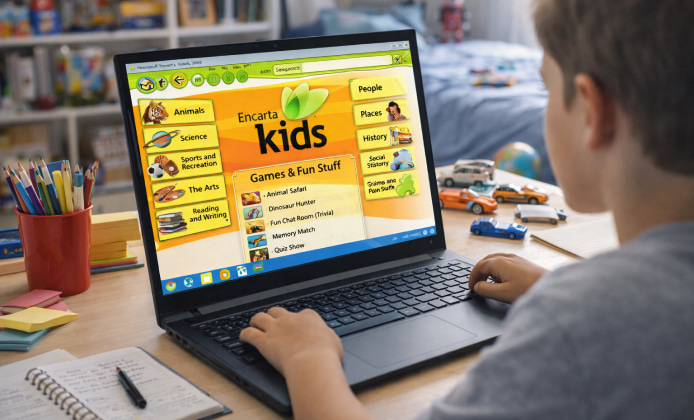
Microsoft Encarta is remembered for its curated articles, multimedia timelines, maps, and a “built-in library” feel that many learners still enjoy today. Even though the product line was discontinued years ago, interest remains high because the experience is different from modern, constantly changing web pages. The key today is separating nostalgia from reality: you can often access Encarta content without paying extra, but you should do it in ways that respect copyright and avoid risky downloads. For many learners, Encarta for free can sound appealing, yet the best outcomes come from choosing legitimate sources and clean installation methods.
What Free Can Mean in Practice
When people talk about getting Encarta at no cost, they usually mean one of these scenarios:
- Using media you already own (a CD/DVD you purchased long ago, found in storage, or acquired legally secondhand).
- Accessing content in a controlled environment (for example, a library, school lab, or a curated local archive that your institution is licensed to provide).
- Using legitimate companion materials (manuals, tutorials, and community tips that help you install what you already have).
- Switching to legal substitutes when the original software cannot be used safely or reliably on modern systems.
In contrast, random “free download” pages often bundle adware, fake installers, or modified files that can compromise your computer. A smart approach prioritizes authenticity, virus hygiene, and system compatibility.
Safer Ways to Get Encarta Running Today
If you already have physical media, your goal is to install and run it with minimal friction. If you don’t, you’ll want to avoid shady mirrors and instead focus on lawful options like secondhand original discs or institutional access.
- Confirm what edition you have. Encarta came in multiple year releases and variants; knowing the year helps you find accurate setup guidance.
- Create a clean install path. Use a standard user account, keep backups, and avoid “all-in-one” downloader tools.
- Plan for compatibility. Older software may require legacy components, older DirectX features, or specific fonts and codecs.
- Use virtualization when needed. A virtual machine can isolate older software and keep your main OS safer and cleaner.
If a forum post says Encarta free to download, treat it as a clue that the person may be describing installation from an original disc image they created for personal archival use, not a green light to grab unknown files.
Using Encarta Online vs. Local Use
Historically, Encarta offered some online experiences, but availability and legality depend on what remains accessible and what your organization provides. In general, modern “online Encarta” claims are the most likely to be misleading.
Some people search for Encarta for free use online, but a safer pattern is to rely on local, verifiable media or vetted institutional archives rather than unofficial streaming or web-hosted copies. If a website pressures you to install a “download manager,” disable your antivirus, or accept browser notifications to proceed, treat it as a red flag and exit immediately.
Windows 10 Compatibility: What Usually Works
Encarta was built for older Windows versions, so Windows 10 users typically face challenges such as installer blocks, outdated DRM components, or missing legacy dependencies. A few common approaches can help:
- Compatibility settings: Running the installer or main executable in compatibility mode can sometimes improve stability.
- Virtual machine: Running an older Windows environment inside a VM is often the cleanest route.
- Separate media and data: Keeping the program files and your personal notes/backups organized makes troubleshooting easier.
On modern PCs, free Encarta on Windows 10 is most realistically achieved when you already own genuine media and you focus on safe compatibility techniques instead of hunting down unknown installers.
Quick Comparison: Options and Tradeoffs
| Approach | Cost | Safety | Ease | Best For |
|---|---|---|---|---|
| Original disc you already own | No additional cost | High | Medium | Most users who kept old software |
| Secondhand genuine disc | Low | High (if verified) | Medium | Collectors and students |
| Virtual machine with older Windows | Often free (tools), OS license may vary | High | Medium | Windows 10/11 compatibility seekers |
| Random “free download” sites | Appears free | Low | Unpredictable | Not recommended |
Practical Steps If You Have a Disc or ISO You Made Yourself
For people who already possess legitimate media, the workflow is usually straightforward:
- Copy the disc contents to a folder so the installer doesn’t rely on a fragile optical drive.
- Run the setup as a standard user first, then elevate permissions only if Windows requests it.
- After installation, launch the app once before applying any settings changes, so it can create its default folders.
- Keep a dedicated backup of the installer files and your product key documentation if you have it.
When someone writes download for free Encarta, a safer interpretation is to treat it as a request for guidance on using existing legitimate media rather than a request for pirated copies.
Windows 10-Specific Notes You’ll Be Glad You Knew
If you’re determined to run Encarta on a current system, keep expectations realistic. Some editions may install and run with minimal tweaks, while others may be stubborn due to outdated components.
Many guides mention Encarta free to download for Windows 10, but the most reliable “download” here is often a lawful local copy from your own archival backup, paired with compatibility settings or a VM.
What to Do If You Can’t Make Encarta Work
Sometimes the effort outweighs the benefit, especially if you need quick, dependable research. If Encarta won’t run cleanly on your machine, consider these alternatives:
- Wikipedia: broad coverage and frequent updates, best when you verify references.
- Britannica (often via libraries): editorially reviewed content.
- Open educational resources: university and museum sites for history, science, and culture.
- Offline knowledge packs: modern offline readers that can store verified articles for travel or classrooms.
If you still feel tempted by a free Encarta download, the safest move is to step back and prioritize verified sources, because compromised installers can cost far more than any software savings.
Checklist: Staying Legal and Safe
- Use authentic media or a legitimate secondhand copy when possible.
- Avoid bundled installers, “cracks,” and toolbars.
- Prefer virtualization for older software on modern Windows.
- Keep backups of your files and verify downloads you create yourself.
- When in doubt, choose a reputable modern encyclopedia for time-sensitive facts.
With the right expectations and a careful approach, you can enjoy Encarta’s classic learning experience while keeping your computer secure and your usage above board.
 Bring Encarta App Back to Life: A Practical Installation Guide
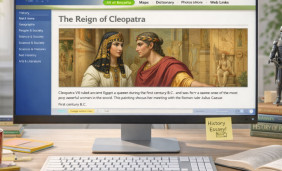 Revisiting Encarta on Mac: Bringing a Classic Encyclopedia to Modern macOS
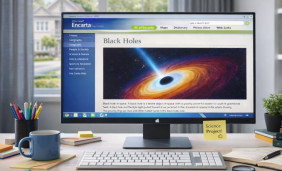 What a Full Version of Encarta Offers and How to Use It Today
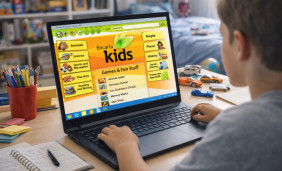 How to Use Encarta App for Free: Practical Options and Safer Alternatives
 What Is Encarta and How to Use?
 Best Apps Similar to Encarta
